10 Best WordPress Landing Page Plugins (2026)
 Stacey Corrin
Stacey Corrin
Stacey Corrin
 John Turner
John Turner
John Turner

Choosing the right WordPress landing page plugin is harder than it looks. You search for options and end up with a list that includes full page builders, popup tools, and standalone SaaS platforms, all claiming to be the best. I’ve built landing pages with all ten tools on this list, and the differences matter depending on what you’re actually trying to do.
Below you’ll find my picks for the best landing page plugins for WordPress, starting with a quick comparison table so you can see the tradeoffs at a glance.
| Plugin | Starting Price | Free Version | Best For | Rating |
|---|---|---|---|---|
| SeedProd | $39.50/year | Yes | All-purpose landing pages | 4.8/5 |
| RafflePress | $39.50/year | Yes | Giveaway landing pages | 4.7/5 |
| OptinMonster | $9/month (billed annually) | No | Conversion overlays on existing pages | 4.6/5 |
| WPForms | $39.50/year | Yes | Form-focused landing pages | 4.7/5 |
| Beaver Builder | $89/year | No | Freelancers and agencies | 4.5/5 |
| Elementor Pro | $99/year | Yes | Design-heavy pages | 4.6/5 |
| Divi Builder | $89/year | No | Theme + builder combo | 4.4/5 |
| Thrive Architect | $99/year | No | Conversion-focused marketing pages | 4.4/5 |
| LeadPages | $37/month (billed annually) | No | Standalone (non-WP) builds | 4.3/5 |
| OptimizePress | $129/year | No | Sales funnels and memberships | 4.3/5 |
How I Chose These Tools
To put together this list, I built a sample landing page with each plugin, evaluated the template library, and checked how pages rendered on mobile. I also looked at how each tool handles email integrations and whether it was built specifically for WordPress or works alongside it.
The criteria I used:
- Drag-and-drop editor quality: how intuitive it is to build and edit a page without touching code
- Template variety and quality: whether there are conversion-focused options ready to go
- Mobile optimization: responsive behavior out of the box, not as an afterthought
- Email marketing integrations: native connections to tools like Mailchimp, ActiveCampaign, and GetResponse
- WordPress-specific features: whether the plugin works natively in WordPress or requires workarounds
Best Landing Page Plugins for WordPress
One of the easiest options is to use a landing page plugin if you want to know how to add a landing page to your WordPress website.
With that in mind, you’ll find the top landing page plugins for WordPress below so you can choose one that suits your business best. I’ll start with my top choice first to make things easy.
- 1. SeedProd – Best Landing Page Builder
- 2. RafflePress – Best Giveaway Landing Page Builder
- 3. OptinMonster – Best Lead Generation Software
- 4. WPForms – Best Form Landing Page Builder
- 5. Beaver Builder – Best Website Builder
- 6. Elementor Pro – Top Landing Page Plugin
- 7. Divi Builder – Popular Landing Page Creator
- 8. Thrive Architect – Visual Landing Page Tool
- 9. LeadPages – Drag and Drop Landing Page Tool
- 10. OptimizePress – Powerful WordPress Page Builder
1. SeedProd – Best Landing Page Builder
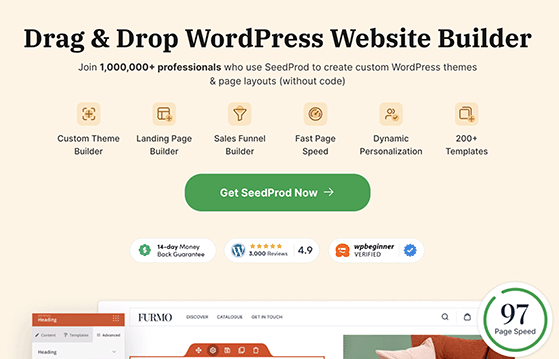
SeedProd has over 1 million active users and is my top pick for WordPress landing pages. It offers the easiest way to create high-converting landing pages without touching code, and it’s the fastest drag-and-drop builder I’ve tested.
It comes with a user-friendly drag-and-drop builder that lets you create custom landing pages quickly and with no coding required. You can also use it to make custom WordPress themes and eCommerce stores.
The no-fluff landing page-specific blocks give you the ability to customize your pages with elements proven to get the results you need.

This includes pre-built blocks for email optins, giveaways, contact forms, and more.
It also comes with smart sections like:
- Header areas
- Feature sections
- Services
- CTA
This means there isn’t a learning curve to creating beautiful landing page layouts.
Instead of starting from scratch with HTML and CSS, you can choose from various customizable landing page templates, such as squeeze page templates, thank you page templates, webinar landing pages, etc. Plus, you can edit any template to suit your brand in the drag-and-drop editor.
SeedProd is also an excellent choice for small businesses and entrepreneurs about to launch their websites. That’s because the Coming Soon page is built into the plugin, so you can turn it on and off with a single click. The same goes for the built-in Maintenance Mode page and 404 pages, all of which have various customizable templates to help you get started.
I use SeedProd to build my own website, and the no-code promise holds up. I’ve built landing pages, a coming soon page, and a full custom theme with it, and I’ve never needed to open a code editor.
More SeedProd Features
- Build unlimited landing pages for WordPress in real time.
- Premium integrations with email marketing services like Mailchimp, GetResponse, ActiveCampaign, Zapier, etc.
- Integrate with Google Analytics tools for easy tracking.
- 20+ built-in color schemes and fonts you can customize and make your own.
- Access controls that let you work on your site in private when coming soon.
- Revision history to restore previous versions with 1 click.
- SEO-friendly design.
- Custom domain mapping.
- Live desktop and mobile landing page previews.
- Mobile responsive design that adapts to all devices.
- Favorite individual sections and templates to use later.
- Bloat-free, minimal code for lightning-fast landing page creation.
- The ability to add your own custom CSS.
| Pros | Cons |
|---|---|
| Fastest load time of any builder in my testing (556ms vs. 1,882ms for Elementor) | Advanced features require a paid plan; the free version is limited |
| 200+ conversion-focused templates including coming soon and maintenance mode pages | WordPress-only; won’t work as a standalone page builder outside of WordPress |
| Works as a full theme builder, not just a landing page tool |
Pricing
SeedProd has a price point of $39.50 per year for 1 website with a year of support and updates. You can also use the free landing page version for basic features.
Verdict: SeedProd is my top pick for WordPress landing pages. It’s the easiest to use, the fastest to load, and the most flexible for different page types. Not ideal if you need a builder that works outside WordPress or need heavy WooCommerce customization at the theme level.
Click here to get started with SeedProd.
2. RafflePress – Best Giveaway Landing Page Builder

RafflePress is the best viral giveaway plugin for WordPress. It makes it super-easy to create online giveaway contests for your website. Whether you’re running a Facebook, Instagram, Twitter, or YouTube giveaway, RafflePress makes it easy with the drag-and-drop giveaway builder.
You can choose from various giveaway templates designed to meet specific goals for marketing campaigns like growing your email list, website traffic, and social media followers. Plus, the 1-click entry options can quickly make your contest go viral.
Where RafflePress excels is the ability to build giveaway landing pages. This means you can remove unnecessary distractions to secure more entries and capture leads.
I’ve run giveaway campaigns with RafflePress, and the dedicated landing page is what makes it work. Stripping out the site header and footer so the entry widget is the only thing visitors see captures more entries than embedding a contest in a regular page.
More RafflePress Features
- Viral giveaway templates designed to meet your goals.
- Social media integrations for Facebook, Twitter, Instagram, YouTube, and more.
- Optimized giveaway landing pages to reduce distractions.
- Viral sharing to encourage word-of-mouth marketing.
- Integrate with popular email marketing automation services.
- One-click entry and fraud protection.
- Responsive and mobile-friendly.
| Pros | Cons |
|---|---|
| The only WordPress plugin purpose-built for giveaway landing pages | Designed specifically for giveaways; not a general-purpose landing page builder |
| One-click entry and fraud protection built in | If you want landing pages beyond giveaways, you’ll need a second plugin |
| Viral sharing features work natively without extra tools |
Pricing
The paid plan for RafflePress starts at $299 one-time for 1 website with lifetime updates and priority support for 1 year. You can also try the free basic plan before committing.
Verdict: RafflePress is the obvious choice if a giveaway is your conversion goal. It does one thing very well. Not ideal if you need a general-purpose landing page builder for lead capture, product launches, or opt-ins outside of a contest context.
Click here to get started with RafflePress.
3. OptinMonster – Best Lead Generation Software

OptinMonster turns any existing page into a lead generation machine using full-screen welcome mats, exit-intent popups, and inline campaigns. Unlike dedicated page builders, it layers on top of pages you’ve already built.
Plus, OptinMonster offers 2 fantastic ways to make a landing sales page with its inline campaign feature or the full-screen welcome mat.
Inline campaigns allow you to capture readers’ attention when they’re already committed to your content. In contrast, full-screen welcome mats can turn any page on your website into your highest-converting landing page with an attention-grabbing call to action.
OptinMonster also offers various other campaign types to generate more subscribers, leads, and sales, like lightbox popups, sticky bars, and more. Plus, all campaigns are entirely customizable with the drag-and-drop campaign builder.
I’ve used OptinMonster alongside SeedProd on the same pages. SeedProd builds the landing page; OptinMonster handles the exit-intent overlay on top. The two work together cleanly, and it’s a useful setup when you want two conversion layers without conflicts.
More OptinMonster Features
- User-friendly drag-and-drop builder to make creating campaigns super-easy.
- Works alongside landing page tools like SeedProd to add popups, lead generation forms, slide-in campaigns, and more to your page.
- Distraction-free full-screen optin pages.
- Smart triggers like Exit-Intent Technology to capture users before they leave.
- Seamless integration with marketing automation software and apps like Salesforce etc.
- A/B testing for campaigns.
| Pros | Cons |
|---|---|
| Full-screen welcome mats convert any existing page without rebuilding it | Not a standalone landing page builder; works as an overlay on top of existing pages |
| Exit-intent technology captures visitors who are about to leave | Most useful features require higher-tier plans; the basic plan is limited |
| Works alongside SeedProd and other page builders to add popups and lead capture |
Pricing
OptinMonster pricing starts at $9 per month, is billed annually, and has outstanding customer support.
Verdict: OptinMonster is best paired with another page builder, not used as a standalone landing page tool. Not ideal if you need a dedicated page you can share as its own URL.
Click here to get started with OptinMonster.
4. WPForms – Best Form Landing Page Builder
WPForms is the best form builder plugin for WordPress, and you can use it to create dedicated form landing pages for your website. With over 6 million users, it’s a must-have solution for any business looking to maximize their leads and conversions.
This beginner-friendly WordPress plugin makes it easy to create any type of form in WordPress. So whether you need a survey form, simple contact form, or signup form, WPForms can make it happen.
Even better, with WPForms, you don’t need to be a design expert to get started. It has a wide variety of form templates that are easy to edit and add to your landing page.
I use WPForms for all the forms on my sites. The Form Pages addon is what makes it a landing page tool. It removes the theme’s header, footer, and sidebar so the form is the only thing a visitor sees. It’s the simplest way I’ve found to build a distraction-free form page without touching the theme.
More WPForms Features
- Visual drag and drop editor for easy form creation.
- Use the form pages addon to create form lander pages.
- Create any type of WordPress form with customizable form templates.
- Integrates with SeedProd landing page software.
- Integrates with top email marketing services and CRM tools like Shopify.
- 100% responsive and mobile-friendly.
| Pros | Cons |
|---|---|
| Purpose-built for form landing pages, with 2,100+ ready-made templates | Best suited for pages where a form is the main conversion element |
| Deep integration with SeedProd and most email marketing services | Form Pages addon requires a paid plan |
| The free version handles basic forms without any payment |
Pricing
WPForms standard plan pricing starts at $39.50 per year.
Verdict: WPForms is the right choice when a form is the whole point of your landing page, like a quote request, registration, or contact page. Not ideal if you need a full-page visual layout with hero sections, images, and testimonials.
Click here to get started with WPForms.
Or, if you like, read our in-depth WPForms review here.
5. Beaver Builder – Best Website Builder
Beaver Builder is a great landing page tool for WordPress. It has a large variety of landing page designs that even beginners won’t find challenging to use.
It’s easy to edit landing pages with Beaver Builder’s drag-and-drop editor, and it comes with various content elements to customize your page.
Beaver Builder is designed to work with any WordPress website, so you can switch WordPress themes without breaking your site. Plus, Beaver Builder will automatically export your content to the native WordPress editor if you ever decide to stop using it.
When I built WordPress sites for clients, I used Beaver Builder on projects where clients needed to edit their own pages after handoff. The export-to-native-editor feature was the deciding factor. If a client ever stopped renewing the plugin, their content stayed in the WordPress editor intact.
More Beaver Builder Features
- Visual page editor with live previews of your landing page.
- Ready-made landing page templates and content templates.
- Save and export templates and blocks to use on other pages.
- Supports custom pages and custom post types.
- Integrates with popular email services.
| Pros | Cons |
|---|---|
| Content exports to native WordPress editor if you ever stop using the plugin | No free version; starts at $99/year |
| Works with any WordPress theme without locking you into a design system | Fewer conversion-specific templates than SeedProd |
| Reliable editor with a long track record in the WordPress community |
Pricing
Beaver Builder pricing starts at $89 per year.
Verdict: Beaver Builder is a dependable choice if you’re building pages for clients and don’t want to risk locking them into a proprietary system. Not ideal if you’re on a tight budget or need a large library of conversion-focused templates out of the box.
Alternative: HubSpot’s free landing page builder is a good choice for list segmentation.
6. Elementor Pro – Top Landing Page Plugin
Elementor is another user-friendly landing page tool for WordPress. The plugin is fast and comes with several templates for different website types and pages.
With the live editor, you can rearrange page sections, columns, and elements to suit your needs. Plus, you can add elements such as buttons, images, sliders, headers, and more. You’re also able to add widgets from other WordPress plugins to your landing page easily.
If you prefer to start from scratch, you can use the blank canvas template to design your own landing page layout.
I’ve used Elementor Pro on client sites and the template library is genuinely the widest of any builder I’ve tested. The speed tradeoff is real though. In my GTmetrix testing, an Elementor page loaded in 1,882ms compared to 556ms for the same page built with SeedProd.
More Elementor Features
- eCommerce widgets to sell products from your online store.
- User-friendly drag-and-drop builder.
- Save your pages as templates to use across your website.
- Mobile-friendly design on all devices.
- Plenty of theme templates for easy customization.
| Pros | Cons |
|---|---|
| Large template library with hundreds of professionally designed options | Heavier than most builders: 1,882ms load time in my testing vs. 556ms for SeedProd |
| Free version available for basic use cases | Loads more CSS and JS files, which can hurt page speed scores |
| Strong ecosystem of third-party add-ons and integrations |
Pricing
Elementor has a free plan; however, you’ll need the Pro version with prices starting at $99 per year for the advanced features.
Verdict: Elementor Pro is a capable landing page builder with a wide design range. Not ideal if page speed is a priority. The extra code load is a real tradeoff, especially for ad landing pages where load time affects quality score.
7. Divi Builder – Popular Landing Page Creator

Divi is a popular solution for building landing pages in WordPress. Created by Elegant Themes, it comes bundled with many of their premium WordPress Themes.
It includes over 20 ready-made templates you can save and reuse at a later date. Plus, you can use the point-and-click editor and drag and drop elements to create beautiful landing pages.
What’s more, Divi is also a WordPress theme with an integrated page builder. This means you use it to create a blogging site. You can also use the standalone builder with other WordPress themes.
I’ve used Divi on client sites where the client wanted a theme and page builder in one purchase. It works well for that, but I noticed the higher resource usage in testing. Query Monitor showed Divi using about 13 MB of memory vs. 4.3 MB for SeedProd on the same page type.
More Divi Builder Features
- Drag and drop page builder plugin that is also a WordPress theme.
- Professionally designed landing page templates.
- Over 45 page modules to customize your landing page.
- Save and export layouts for use elsewhere.
| Pros | Cons |
|---|---|
| Functions as both a theme and a page builder, so one purchase covers both | Uses 3x more memory than SeedProd in server-side testing (13 MB vs. 4.3 MB) |
| Over 45 modules for deep customization of any page element | The combined theme + builder can feel heavy for simple landing pages |
| One-time lifetime payment option available at $249 |
Pricing
Divi Builder pricing starts at $89 per year, or you can purchase it for a one-off fee of $249.
Verdict: Divi is a good fit if you want a theme and page builder in one and don’t mind the heavier footprint. Not ideal if you prioritize fast load times or need a conversion-optimized template library.
8. Thrive Architect – Visual Landing Page Tool

Thrive Architect is another cool landing page tool for WordPress. It comes from the team behind Thrive Themes, so if you’re familiar with their other products, this one will come as no surprise.
Thrive Architect offers a simple solution for creating landing pages visually in WordPress. It has a drag-and-drop editor and provides a wide variety of content modules to make customizing your page a breeze.
You can build WordPress landing pages within your theme’s layout or choose from a vast template library to kick-start the design process.
I’ve reviewed Thrive Architect as part of evaluating the Thrive Themes ecosystem. The conversion element library stands out. Countdown timers, progress bars, and lead generation buttons are all built in without needing separate add-ons.
More Thrive Architect Features
- Customizable drag-and-drop visual editor.
- API integrations for top email marketing services.
- A/B split testing addon available separately.
- Integrates with other Thrive products.
- Edit WordPress posts and pages.
- Mobile-responsive design.
| Pros | Cons |
|---|---|
| Strong conversion-focused element library including countdown timers and lead gen forms | A/B testing is a separate addon, not included in the base price |
| Works well with other Thrive products if you’re already in that ecosystem | Best value when bundled into Thrive Suite, which costs more upfront |
| Good template library focused on marketing and lead generation |
Pricing
Thrive Architect pricing starts at $99 per year for updates and support. Or you can pay $299 per year for the full suite of Thrive plugins.
Verdict: Thrive Architect is a strong choice for marketers who are already using other Thrive products. Not ideal if you want A/B testing without paying for an additional addon or need a tool outside the Thrive ecosystem.
Alternative: Swipe Pages for AMP landing pages.
9. LeadPages – Drag and Drop Landing Page Tool

LeadPages is another popular landing page builder and lead generation tool. It is a standalone landing page builder, so you can use it with or without a WordPress website.
It has several beautiful landing page templates to help you get started. Plus, all of the templates are optimized for conversions and lead generation.
The drag-and-drop builder makes it easy to point and click on any page element and customize it to suit your marketing needs. So adding text, images, CTA buttons, and media is super-easy.
It also integrates with some of the top email marketing and automation tools on the market, making it easy to manage your list and leads.
I’ve tested LeadPages and the template quality is strong. The conversion-focused designs are noticeably different from general page builders. The main friction I found for WordPress users is that it’s not a native plugin, so WordPress-specific integrations need more setup than you’d expect.
More LeadPages Features
- A wide variety of landing page templates to customize your page easily.
- Easy-to-use drag-and-drop page editor.
- Has a large selection of integrations with email marketing platforms, payment services like Stripe and PayPal, and tools like HubSpot to automate your marketing efforts.
| Pros | Cons |
|---|---|
| Works standalone without WordPress, useful for multi-site or non-WordPress projects | Monthly pricing makes it more expensive long-term than annual WordPress plugins |
| Large library of conversion-tested templates | Not a native WordPress plugin; some WordPress-specific integrations are limited |
| Direct integrations with Stripe and PayPal for simple payment pages |
Pricing
LeadPages pricing starts at $37 per month, billed annually for a single website.
Verdict: LeadPages makes sense if you manage landing pages across multiple tools or platforms and don’t want everything tied to a single WordPress install. Not ideal as a pure WordPress landing page solution. The monthly cost adds up, and native WordPress plugins give you more for less.
Alternatives: Landingi, Instapage, and Unbounce are similar landing page tools for startups and small businesses.
10. OptimizePress – Powerful WordPress Page Builder

OptimizePress is another powerful WordPress plugin you can use to build landing pages and sales pages for your website. It comes as a WordPress theme as well as a plugin that you can use with any other theme.
There are over 30 customizable templates to choose from. Each is professionally designed to help you create high-converting sales pages. It also has a great design tool to help you edit your landing pages with ease.
You can integrate OptimizePress with several email marketing tools and WordPress membership plugins, making it a useful all-in-one option if you need landing pages, checkout pages, and a membership area in one plugin.
I’ve tested OptimizePress specifically for membership and funnel builds. The funnel depth is its real differentiator. You can build opt-in pages, sales pages, and a members area from the same plugin, which reduces the number of separate tools you need.
More OptimizePress Features
- Over 40 customizations to add more functionality to your pages.
- Easily build a membership website in WordPress.
- 30+ pre-made templates to help you get started.
- Several email marketing integrations.
- Mobile-friendly design.
| Pros | Cons |
|---|---|
| Available as both a plugin and a theme, flexible for different build approaches | Template library is smaller than SeedProd or Elementor |
| Good fit for membership sites with deep WordPress membership plugin integrations | The design tool is less intuitive than other builders on this list |
| Covers sales funnels, landing pages, and membership sites in one purchase |
Pricing
OptimizePress pricing starts at $129 per year for a single website.
Verdict: OptimizePress is worth considering if you’re building a full funnel with landing pages, checkout pages, and a membership area. Not ideal if you just need a straightforward landing page without the funnel complexity.
Alternative: You might also like the landing page tools included in Wix, which include heatmaps.
Free: Download Our Giveaway Playbook
Templates, prize ideas, and promotion strategies in one guide.
Frequently Asked Questions
What is the best free landing page plugin for WordPress?
SeedProd offers the best free landing page plugin for WordPress. The free version includes a drag-and-drop editor, basic templates, and a coming soon mode. For advanced templates, email integrations, and unlimited pages, you’ll need the paid plan starting at $39.50 per year.
Is SeedProd better than Elementor for landing pages?
For pure landing pages, SeedProd is the stronger choice. In my testing, SeedProd loaded in 556ms vs. 1,882ms for Elementor, and SeedProd’s templates are specifically designed for conversions rather than general website design. Elementor has a wider design range and a larger third-party ecosystem, so if you’re building a full website with many page types, Elementor is competitive. For dedicated landing pages, SeedProd wins on speed and focus.
Can I create a landing page in WordPress without a plugin?
Yes. You can use the native WordPress block editor to build a basic landing page and then use a theme that supports full-width page templates. The tradeoff is that you won’t get conversion-focused templates, built-in email integrations, or the ability to remove headers and footers without custom CSS. A dedicated landing page plugin handles all of this without touching code.
What’s the difference between a landing page builder and a page builder?
A page builder like Elementor or Divi is designed to build any type of WordPress page, including posts, archives, and full themes. A landing page builder like SeedProd is designed specifically for standalone conversion pages, with templates built for lead capture, product launches, and opt-ins. Landing page builders also typically include coming soon modes, maintenance pages, and A/B testing features that general page builders don’t prioritize.
Best Landing Page Plugin for WordPress
Looking at the solutions above, the best WordPress landing page plugin for most users is SeedProd. It’s the fastest to load, the easiest to use, and the most flexible for different types of landing pages.
That said, the right tool depends on what you’re building. If giveaways are your focus, RafflePress is the purpose-built choice. If you’re building a full sales funnel, OptimizePress is worth a look. And if you need forms as your main conversion element, WPForms with the Form Pages addon is the cleanest solution.

Get started with SeedProd today!
We hope this article helped you to find the best landing page tool for your WordPress website.
You might also want to see the following guides for improving your website:
While you’re here, please follow us on YouTube, Twitter, and Facebook for more great tips to grow your business.

